

10 minutes
Your monitor or laptop screen should sit at eye level, directly in front of you, at arm's length distance. If it's too low (which it is, on every standard desk), you tilt your head down, round your shoulders, and compress your cervical spine. Over months, this creates chronic neck pain, headaches, and reduced focus. In 2026, proper monitor positioning isn't expensive. The sub-~₹3,000 segment offers gas-spring monitor arms, adjustable laptop stands, dual-monitor mounts, and risers with storage that transform any desk into an ergonomic workstation. If you're using a 24-inch monitor in Pune, a laptop in Chennai, or dual screens in Gurgaon, this guide covers the best monitor arms and laptop stands under ~₹3,000 for Indian professionals.
Why Screen Height Matters
The Anatomy of Poor Monitor Position
| Screen Position | Body Response | Long-term Effect |
|---|---|---|
| Too low | Chin tucks, neck flexes forward | Cervical compression, "tech neck" |
| Too high | Chin lifts, neck extends | Upper cervical strain, jaw tension |
| Too close | Eyes converge, shoulders hunch | Eye strain, rounded shoulders |
| Too far | Eyes strain, neck cranes forward | Eye fatigue, forward head posture |
| Off-center | Neck rotates, spine twists | Asymmetric muscle tension, scoliosis risk |
| The 20-20-20 Rule (For Eye Health) | ||
| Every 20 minutes, look at something 20 feet away for 20 seconds. Proper monitor positioning makes this natural — your eyes should focus at a comfortable distance without strain. | ||
| Monitor Arms vs. Stands: What's Right for You? | ||
| Feature | Monitor Arm | Monitor Stand/Riser |
| --- | --- | --- |
| Adjustability | Full range (height, tilt, swivel, rotate) | Fixed or limited height |
| Desk space | Frees entire desk surface | Uses desk space, may add storage |
| Multiple monitors | Excellent (dual/triple arms) | Limited |
| Price range | ~₹2,000–3,000 | ~₹500–2,000 |
| Installation | Clamp or grommet mount | Place on desk |
| Portability | Fixed installation | Moveable |
| Best for | Permanent setups, flexibility | Simple height boost, storage |
Top 6 Monitor Arms and Laptop Stands Under ~₹3,000
1. AmazonBasics Single Monitor Arm — ~₹3,000
Best Monitor Arm Overall
| Specification | Detail |
|---|---|
| Mount Type | Desk clamp (C-clamp) or grommet |
| Screen Size | Up to 27 inches |
| Weight Capacity | 9kg |
| Adjustability | Height, tilt (+90°/-45°), swivel (180°), rotate (360°) |
| Arm Reach | 41cm |
| Gas Spring | Yes (smooth adjustment) |
| VESA | 75×75mm, 100×100mm |
| Cable Management | Integrated clips |
| Warranty | 1 year |
| Why it tops the list: AmazonBasics consistently delivers reliable, well-engineered basics — and this monitor arm is no exception. The gas spring allows effortless height adjustment with a light touch. The integrated cable management keeps your desk clean. The build quality exceeds no-name brands at similar prices. | |
| Real-world ergonomics: Mounting your monitor on an arm transforms your desk. The screen floats at perfect height, freeing the entire desk surface. You can pull the monitor closer for detailed work, push it back for video calls, or rotate to portrait for coding/document reading. The gas spring holds position without drifting. |
Pros:
Gas spring for smooth adjustment Excellent build quality Full range of motion Integrated cable management Easy installation (20 minutes) Frees entire desk surface Amazon's return policy
Cons:
Single monitor only (dual arm costs more) C-clamp requires desk edge (no rear clearance) 9kg limit (not for heavy ultrawides) 1-year warranty Ideal for: Single monitor users wanting full flexibility, clean desk aesthetics, ergonomic perfection.
2. Green Soul Monitor Arm Pro — ~₹2,500
Best Indian Brand Monitor Arm
| Specification | Detail |
|---|---|
| Mount Type | Desk clamp |
| Screen Size | Up to 32 inches |
| Weight Capacity | 9kg |
| Adjustability | Height, tilt, swivel, rotate |
| Arm Reach | 45cm |
| Gas Spring | Yes |
| VESA | 75×75mm, 100×100mm |
| Special Feature | Quick-release VESA plate |
| Warranty | 2 years |
| Why it stands out: Green Soul brings local customer support and warranty service that AmazonBasics can't match. The quick-release VESA plate lets you detach the monitor for cable changes or moving without dismounting the entire arm. The longer reach (45cm) accommodates deeper desks. | |
| Real-world ergonomics: The quick-release is really useful — you can remove your monitor for deep cleaning or LAN parties without tools. The longer arm reach helps if your desk is deep or you want to position the monitor at an angle. The 2-year warranty provides peace of mind. |
Pros:
Quick-release VESA plate (unique feature) Longer arm reach 2-year warranty Indian brand support Gas spring adjustment Supports up to 32 inches
Cons:
Slightly less smooth than AmazonBasics Quick-release adds slight wobble Single monitor only C-clamp design Ideal for: Those wanting local support, frequent monitor detachment, deeper desks, Green Soul ecosystem users.
3. Portronics POR-1224 My Buddy K2 — ~₹1,500
Best Laptop Stand
| Specification | Detail |
|---|---|
| Type | Adjustable laptop stand |
| Height | 7 levels (15–45cm) |
| Angle | 18–45 degrees |
| Material | Aluminum alloy |
| Weight Capacity | 10kg |
| Folded Size | 24×4cm |
| Compatibility | 10–17 inch laptops |
| Features | Ventilation holes, anti-slip pads |
| Why it stands out: The My Buddy K2 is the most popular laptop stand in India for good reason. The 7-level height adjustment accommodates any user height and desk setup. The aluminum construction dissipates heat while remaining lightweight. The ventilation holes prevent laptop overheating. | |
| Real-world ergonomics: raising your laptop screen to eye level is transformative. No more hunching over a low screen. The angle adjustment lets you type comfortably or use an external keyboard. The stand folds flat for travel — perfect for cafe work or co-working spaces. |
Pros:
7 height levels (highly adjustable) Aluminum build (lightweight, heat-dissipating) Folds flat for travel Ventilation holes prevent overheating Anti-slip pads secure laptop Very affordable Works with all laptop sizes
Cons:
No built-in cable management Adjustment requires removing laptop Aluminum can scratch No swivel or rotate Requires external keyboard for best ergonomics Ideal for: Laptop users, mobile professionals, students, hot climates (aluminum cooling), travelers.
4. AmazonBasics Monitor Stand Riser — ~₹1,000
Best Budget Monitor Riser
| Specification | Detail |
|---|---|
| Type | Fixed riser with storage |
| Height | 10cm lift |
| Material | Metal platform, plastic legs |
| Storage | Under-platform space (keyboard storage) |
| Width | 28cm |
| Weight Capacity | 15kg |
| Features | Non-slip feet, cable management notch |
| Why it stands out: Sometimes you don't need full arm articulation — you just need the screen higher. The AmazonBasics riser provides a 10cm lift with under-platform storage for your keyboard when not in use. The metal platform is stable and durable. | |
| Real-world ergonomics: The 10cm lift brings most monitors to near-optimal height for average Indian users (5'6"–5'10"). The under-platform storage clears desk space and reduces dust on your keyboard. The cable notch prevents wires from dragging. |
Pros:
Simple, effective height boost Keyboard storage underneath Very affordable Stable metal platform No installation needed Cable management notch
Cons:
Fixed height (not adjustable) No tilt or swivel Takes desk space 10cm may not be enough for tall users Basic plastic legs Ideal for: Tight budgets, simple height needs, desk space maximization, temporary setups.
5. NB North Bayou Dual Monitor Arm — ~₹3,000
Best Dual Monitor Arm
| Specification | Detail |
|---|---|
| Mount Type | Desk clamp |
| Screen Size | Up to 27 inches each |
| Weight Capacity | 9kg per arm |
| Adjustability | Independent height, tilt, swivel, rotate per monitor |
| Arm Reach | 38cm per arm |
| Gas Spring | Yes (both arms) |
| VESA | 75×75mm, 100×100mm |
| Special Feature | Independent adjustment, center or side-by-side |
| Warranty | 1 year |
| Why it stands out: Dual monitors are productivity real productivity wins for developers, traders, designers, and writers. The NB North Bayou dual arm brings gas-spring flexibility to both screens at a price that seems impossible. Each arm adjusts independently — align monitors perfectly or angle one for reference. | |
| Real-world ergonomics: Dual monitors eliminate window switching and improve workflow. The arm mount frees your entire desk — no more monitor bases taking up space. You can position one monitor straight ahead and one angled, or both side-by-side with perfect alignment. The independent adjustment prevents the "one perfect, one compromised" problem of fixed dual stands. |
Pros:
Dual monitor support under ~₹3,000 Independent gas-spring adjustment Frees entire desk surface Perfect monitor alignment Improves productivity significantly Good build quality
Cons:
Requires substantial desk space for clamp Installation more complex (45 minutes) Two monitors = double cable management 1-year warranty Heavy (6kg total) Ideal for: Dual monitor users, developers, traders, designers, productivity-focused professionals.
6. UGREEN Laptop Stand — ~₹2,300
Best Premium Laptop Stand
| Specification | Detail |
|---|---|
| Type | Adjustable aluminum stand |
| Height | Infinite adjustment (folding triangle design) |
| Angle | 15–45 degrees |
| Material | Aircraft-grade aluminum |
| Weight Capacity | 20kg |
| Folded Size | 26×5cm |
| Compatibility | 10–17 inch laptops |
| Features | Silicone pads, heat vents, cable hole |
| Why it stands out: UGREEN is a premium accessory brand known for build quality. The aircraft-grade aluminum is noticeably sturdier than budget stands — no wobble even with heavy 17-inch gaming laptops. The infinite height adjustment (not fixed levels) lets you dial in exact positioning. | |
| Real-world ergonomics: The infinite adjustment is the key feature — you find your exact optimal height rather than settling for "close enough." The silicone pads prevent scratching and slipping. The cable hole keeps charging cables tidy. The heat vents are larger and more effective than budget alternatives. |
Pros:
Infinite height adjustment (not stepped) Aircraft-grade aluminum (premium build) High weight capacity (20kg) Excellent heat ventilation Silicone protection pads Folds compact for travel Premium brand quality
Cons:
Higher price for a stand Adjustment requires both hands No built-in USB hub (some competitors offer) Premium price within budget Heavier than plastic alternatives Ideal for: Premium laptop users, heavy laptops (gaming/workstation), those wanting precise adjustment, quality-focused buyers. Setting Up Your Monitor for Perfect Ergonomics The Ideal Position Height: Top of screen at or slightly below eye level Distance: Arm's length (50–70cm) Angle: Slight backward tilt (10–20°) — top closer to you than bottom Center: Directly in front of you, not off to one side Glare: Perpendicular to windows, use blinds if needed For Laptop + External Monitor Primary work: External monitor at proper height, laptop as secondary screen Laptop position: Raised on stand to side, or closed in clamshell mode External keyboard/mouse: Essential for laptop ergonomics For Dual Monitors Primary monitor: Directly in front, at proper height Secondary monitor: Angled 30° to side, at same height Equal use: Center both monitors with your nose at the gap (slight neck rotation) For Ultrawide Monitors Position: Slightly farther back (80cm) due to width Window management: Use software to divide screen into virtual monitors Curved screens: Position so curve matches natural viewing angle
Common Issues and Solutions
"My monitor arm sags or drifts" Cause: Gas spring not tensioned for monitor weight, or monitor too heavy Fix: Adjust tension screw (usually at joint). Check weight capacity. Heavier monitors need higher-tension arms. "C-clamp doesn't fit the desk" Cause: Desk too thick, no rear overhang, or glass desk Fix: Use grommet mount (requires desk hole). Or choose a stand/riser instead. Avoid clamping on glass — risk of shattering. "Laptop stand wobbles when typing" Cause: Stand too light, angle too steep, or uneven surface Fix: Use external keyboard (recommended for ergonomics). Ensure stand on flat surface. Choose heavier stand (UGREEN, Portronics). "Dual monitors don't align perfectly" Cause: Different monitor sizes, different stand heights, or uneven arms Fix: Use identical monitors if possible. Adjust arm tension carefully. Use monitor calibration software for color alignment. "Monitor too heavy for arm" Cause: Ultrawide or large monitor exceeding 9kg Fix: Check monitor weight without stand. Consider heavy-duty arm (~₹4,000+). Or use stand/riser instead.
Final Verdict
The AmazonBasics Single Monitor Arm at ~₹3,000 is the best monitor arm for single-screen users wanting full ergonomic flexibility and clean desk aesthetics. For dual monitor users, the NB North Bayou Dual Arm at ~₹3,000 is remarkable value — dual gas-spring arms at this price were unheard of two years ago. For laptop users, the Portronics My Buddy K2 at ~₹1,500 provides excellent height adjustment and portability at unbeatable value. For premium laptop ergonomics, the UGREEN Laptop Stand at ~₹2,300 offers infinite adjustment and aircraft-grade build quality. For simple height needs, the AmazonBasics Riser at ~₹1,000 is the budget champion — effective, stable, and space-saving.
Related: The guide to 7 best ergonomic office chairs under ₹5,000

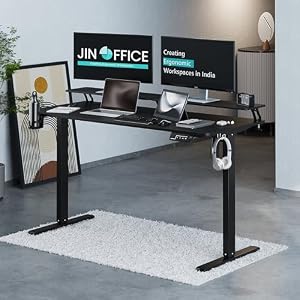


Top Picks at a Glance
| Feature | Green Soul Jupiter Pro 2026 Edition | Green Soul Ghost 2026 Gaming Chair | Green Soul Monster Ultimate Series T | Green Soul Imperium Neo | JIN OFFICE Stability Crossbar |
|---|---|---|---|---|---|
| Warranty | 5 years | 5 years | 5 years | — | 3 years |
| Recline | Intelli-Adapt auto-recline | 155 degree | Intelli-Adapt | — | — |
| Armrests | 4D adjustable | 4D adjustable | 4D extended range | — | — |
| Price | ₹11,990 | ₹16,490 | ₹17,990 | ₹12,990 | ₹20,990 |
| Rating | ★ 4.5 | ★ 4.5 | ★ 4.5 | ★ 4.4 | ★ 4.4 |


