

10 minutes
If you type 5,000+ words daily — code, emails, reports, or creative writing — your keyboard is your primary tool. A bad keyboard causes wrist strain, carpal tunnel syndrome, and reduced typing speed. A good ergonomic keyboard keeps your wrists neutral, fingers comfortable, and productivity high through marathon sessions. In 2026, mechanical switches, split designs, wrist rests and adjustable tilt have drifted into the sub-~₹3,000 range. The keyboards below were judged on how they feel at hour three of typing, not on the spec sheet.
Why Keyboard Ergonomics Matter
The Typing Toll
Average office worker: 4,000–6,000 keystrokes daily Programmers: 10,000–15,000 keystrokes daily Content writers: 8,000–12,000 keystrokes daily Result: Repetitive strain injury (RSI), carpal tunnel, tendonitis
Wrist Position Impact
| Position | Risk Level | Long-term Effect |
|---|---|---|
| Wrists bent upward | High | Carpal tunnel syndrome |
| Wrists bent sideways | High | Ulnar deviation, tendon strain |
| Wrists flat, neutral | Low | Minimal strain |
| Forearms angled inward | Medium | Shoulder tension |
| An ergonomic keyboard isn't a luxury — it's injury prevention for knowledge workers. | ||
| Ergonomic Keyboard Features Explained | ||
| Key Features Under ~₹3,000 | ||
| Feature | What It Does | Budget Availability |
| --- | --- | --- |
| Split Design | Separates hands to shoulder width | Rare under ~₹3,000; some compact options |
| Tented/Split Angle | Raises center, angles keys outward | Very rare; consider external tenting |
| Wrist Rest | Supports wrist at neutral height | Common; built-in or detachable |
| Mechanical Switches | Tactile feedback, less force needed | Available (Outemu, basic Cherry clones) |
| Low-Profile Keys | Reduced key travel, less finger strain | Available in membrane/scissor designs |
| Adjustable Tilt | Negative or neutral tilt options | Common; legs or adjustable feet |
| Compact Layout | Reduces mouse reach distance | Common (TKL, 75%, 60%) |
| Programmable Keys | Custom shortcuts, macros | Limited at this price |
Switch Types for Ergonomics
| Switch | Feel | Force | Best For | Price |
|---|---|---|---|---|
| Red (Linear) | Smooth, no bump | Light (45g) | Speed typing, gaming | Budget |
| Brown (Tactile) | Bump, no click | Medium (55g) | Balanced typing | Budget |
| Blue (Clicky) | Bump + click | Medium (60g) | Satisfying feedback | Budget |
| Membrane | Mushy, quiet | Variable | Silent offices, budgets | Cheapest |
| Scissor (Low-Profile) | Short travel, crisp | Light | Laptop-like feel | Mid-range |
Top 6 Ergonomic Keyboards Under ~₹3,000
1. Redragon K552 Kumara TKLRedragon K552 Kumara TKL — ~₹2,900alue
| Specification | Detail |
|---|---|
| Type | Mechanical TKL (Tenkeyless) |
| Switches | Outemu Blue (clicky) or Red (linear) |
| Layout | 87 keys, compact |
| Wrist Rest | Detachable magnetic wrist rest |
| Tilt | Adjustable feet (3 angles) |
| Backlight | RGB, customizable |
| Build | Metal top plate, ABS keycaps |
| Cable | Braided, 1.8m |
| Warranty | 1 year |
| Why it tops the list: The TKL layout removes the number pad, bringing your mouse closer to your typing position — reducing shoulder strain. The Outemu mechanical switches require less force than membrane keyboards, reducing finger fatigue. The detachable wrist rest maintains neutral wrist height. |
Real-world comfort: The TKL form factor is genuinely ergonomic for right-handed mouse users — no more reaching past the number pad. The clicky Blue switches provide satisfying feedback that prevents bottoming out (hitting the plate hard). The wrist rest is padded and positioned correctly.
Pros: TKL layout reduces mouse reach Mechanical switches (less finger fatigue) Detachable wrist rest Solid metal build RGB backlighting Excellent value for mechanical Cons: Outemu switches (not genuine Cherry MX) Clicky Blue switches loud for shared spaces No wireless option ABS keycaps (shine over time) 1-year warranty Ideal for: Programmers, writers, gamers wanting mechanical feel, those wanting TKL ergonomics.
2. Logitech K380 Multi-Device — ~₹2,200
Best Wireless Ergonomic
| Specification | Detail |
|---|---|
| Type | Membrane, compact |
| Layout | 79 keys, 60% compact |
| Connectivity | Bluetooth (3 devices) |
| Wrist Rest | None (compact design) |
| Tilt | Fixed slight angle |
| Keys | Low-profile scissor switches |
| Battery | 2 AAA, 24 months |
| Weight | 423g |
| Warranty | 1 year |
| Why it stands out: The K380's compact 60% layout brings everything within easy reach — no mouse travel needed. The low-profile scissor switches mimic laptop typing with reduced finger travel. Multi-device Bluetooth lets you switch between laptop, tablet, and phone instantly. |
Real-world comfort: The compact layout is surprisingly ergonomic — your hands never leave the home row. The low-profile keys require less finger extension. The light weight makes it perfect for mobile professionals who work at cafes, co-working spaces, and client sites.
Pros: Ultra-compact (reduces all reaching) Multi-device Bluetooth 24-month battery life Lightweight and portable Quiet typing (meetings/cafes) Reliable Logitech quality Cons: No wrist rest No number pad (frustrating for data entry) Membrane feel (not mechanical) Fixed angle (not adjustable) Small for large hands Ideal for: Mobile professionals, multi-device users, cafe workers, minimal desk setups, travelers.
3. TVS Gold Bharat — ~₹2,500
Best for Heavy Typing (Indian Brand)
| Specification | Detail |
|---|---|
| Type | Mechanical, full-size |
| Switches | Long-life mechanical (50M clicks) |
| Layout | 104 keys, full-size |
| Wrist Rest | None |
| Tilt | Adjustable legs |
| Keys | High-profile, long travel |
| Build | Heavy-duty plastic, solid |
| Cable | Standard, 1.5m |
| Warranty | 2 years |
| Why it stands out: TVS is a legendary Indian keyboard brand — the Gold series has been the standard for Indian typists, data entry professionals, and government offices for decades. The long-life mechanical switches (not Cherry MX, but proprietary durable design) withstand abuse that kills premium keyboards. |
Real-world comfort: The full-size layout with proper spacing prevents cramped typing. The high-profile keys provide clear tactile feedback. The solid build doesn't flex or rattle. For users who learned typing on traditional keyboards, this feels familiar and reliable.
Pros: Legendary Indian durability 2-year warranty Full-size for data entry Long-life mechanical switches Familiar layout for traditional typists Proven in Indian office environments Very affordable Cons: No wrist rest Bulky and heavy No backlight Basic plastic build No wireless option Loud typing Ideal for: Data entry professionals, government office workers, traditional typists, those wanting proven Indian reliability.
4. HP K500F Mechanical Gaming Keyboard — ~₹2,700
Best Hybrid (Work + Gaming)
| Specification | Detail |
|---|---|
| Type | Mechanical, full-size |
| Switches | Outemu Blue (clicky) |
| Layout | 104 keys |
| Wrist Rest | Integrated, non-detachable |
| Tilt | Adjustable feet |
| Backlight | Mixed color (not full RGB) |
| Build | Plastic with metal faceplate |
| Cable | Braided, 1.8m |
| Warranty | 1 year |
| Why it stands out: The integrated wrist rest is properly positioned and padded — a true ergonomic feature rarely found under ~₹3,000. The full-size layout with mechanical switches serves both work and gaming needs. The HP brand provides reliable after-sales support in India. |
Real-world comfort: The wrist rest eliminates the need for a separate purchase and is positioned at the correct height. The Outemu Blue switches provide clear feedback without the mushiness of membrane. The full-size layout accommodates number-heavy work.
Pros: Integrated wrist rest (proper ergonomic positioning) Mechanical switches at budget price HP brand support Full-size for data work Braided cable Gaming aesthetic if desired Cons: Non-detachable wrist rest (limits positioning) Outemu switches (not premium) Full-size (long mouse reach) Mixed backlight (not customizable) Plastic build despite metal faceplate Ideal for: Hybrid work/gamers, those wanting integrated wrist rest, HP ecosystem users.
5. Zebronics Zeb-Transformer — ~₹1,500
Best Ultra-Budget Mechanical
| Specification | Detail |
|---|---|
| Type | Mechanical, full-size |
| Switches | Outemu Blue |
| Layout | 104 keys |
| Wrist Rest | None |
| Tilt | Adjustable legs |
| Backlight | Rainbow backlight |
| Build | Plastic |
| Cable | Standard, 1.5m |
| Warranty | 1 year |
| Why it stands out: At under ~₹1,500, this is the cheapest mechanical keyboard in India. While basic, it provides the core ergonomic benefit of mechanical switches — reduced finger fatigue compared to membrane. |
Real-world comfort: The mechanical switches alone provide ergonomic benefit over standard membrane keyboards. The full-size layout is familiar. The rainbow backlight is a bonus for visibility in low light. Build quality is acceptable for the price.
Pros: Cheapest mechanical keyboard Real mechanical switches Rainbow backlight Full-size layout Decent for entry-level Cons: Basic plastic build No wrist rest No detachable cable Outemu switches only (no options) No software customization Durability concerns long-term Ideal for: Tightest budgets, first mechanical keyboard, students, testing if mechanical suits you.
6. Keychron K3 Ultra-Slim (Previous Gen) — ~₹3,000
Best Low-Profile Ergonomic
| Specification | Detail |
|---|---|
| Type | Mechanical, low-profile |
| Switches | Gateron low-profile (Red/Brown/Blue) |
| Layout | 75% compact (84 keys) |
| Wrist Rest | None (low-profile doesn't need) |
| Tilt | Adjustable feet |
| Connectivity | Bluetooth + Wired (USB-C) |
| Battery | 34 hours (backlight off) |
| Backlight | White LED |
| Warranty | 1 year |
| Why it stands out: Keychron is a premium mechanical keyboard brand, and even their previous-generation low-profile models bring exceptional quality to the budget segment. The low-profile mechanical switches reduce finger travel distance significantly — excellent for RSI prevention. |
Real-world comfort: The 75% layout is a sweet spot — compact but retains function keys and arrow keys. The low-profile switches feel like a premium laptop but with mechanical precision. The Bluetooth + wired dual connectivity is versatile. The reduced key travel actually reduces finger strain over long sessions.
Pros: Low-profile mechanical (best for RSI prevention) Dual connectivity (Bluetooth + wired) Premium brand quality 75% layout (compact but functional) USB-C charging Hot-swappable switches (some variants) Cons: Previous generation (limited stock) No wrist rest needed but some prefer it 1-year warranty only White backlight only (not RGB) Higher price for older model Ideal for: RSI sufferers, those wanting premium brand at budget, low-profile enthusiasts, multi-device users.
Ergonomic Typing Setup Guide
Proper Positioning Keyboard height: Elbows at 90°, forearms parallel to floor Wrist position: Neutral (flat, not bent up or sideways) Keyboard tilt: Slight negative tilt (front higher than back) or flat Mouse position: Same level as keyboard, close to body Monitor distance: Arm's length, top at eye level
For TKL and Compact Keyboards
Mouse sits closer to body Less shoulder abduction (arm reaching outward) May need separate number pad for data-heavy work
For Full-Size Keyboards
Consider left-side mouse placement (if right-handed) Or use keyboard without number pad for non-data work Ensure mouse is within easy reach without overextension
Daily Habits for Wrist Health
Micro-breaks: 30-second hand stretches every 30 minutes Wrist rolls: Rotate wrists gently during calls Finger spreads: Open and close fingers fully to stretch tendons Neutral position: Float hands over keys, don't rest wrists while typing
Mechanical vs. Membrane: Ergonomic Reality
| Factor | Mechanical | Membrane | Ergonomic Winner |
|---|---|---|---|
| Finger force | Lower (actuation before bottom) | Higher (must bottom out) | Mechanical |
| Tactile feedback | Clear, prevents hard impacts | Mushy, encourages bottoming | Mechanical |
| Key travel | Longer (tiring for some) | Shorter | Personal preference |
| Noise | Loud (disturbs others) | Quiet | Membrane (shared spaces) |
| Durability | 50M+ clicks | 5–10M clicks | Mechanical |
| Price | Higher | Lower | Membrane (budget) |
| RSI prevention | Better (less force, clear feedback) | Worse | Mechanical |
Bottom line: Mechanical switches are generally more ergonomic due to lower actuation force and clear feedback. However, low-profile membrane/scissor designs (like Logitech K380) can also be ergonomic due to reduced travel.
Common Issues and Solutions
"My wrists still hurt with a new keyboard" Cause: Wrist rest too high, keyboard too low, or underlying RSI Fix: Ensure wrists are neutral (not bent). Consider a negative-tilt keyboard tray. Take micro-breaks. Persistent pain = see a doctor. "Mechanical keyboards are too loud" Cause: Clicky switches (Blue) or noisy stabilizers Fix: Switch to linear (Red) or tactile non-clicky (Brown) switches. Add O-ring dampeners. Choose membrane for shared offices. "Compact keyboards miss keys I need" Cause: TKL/60% layouts omit function keys or number pad Fix: Use Fn+key combinations. Add external number pad for data work. Or choose 75% layout (Keychron K3) for balance. "Wireless keyboard has lag" Cause: Bluetooth interference or low battery Fix: Use 2.4GHz dongle if available. Keep battery charged. Position receiver close. Wired mode for gaming.
Final Verdict
The Redragon K552 Kumara TKL at ~₹2,900 is the best ergonomic keyboard for most Indian professionals. The TKL layout reduces mouse reach, mechanical switches reduce finger fatigue, and the wrist rest maintains neutral position. For wireless multi-device users, the Logitech K380 at ~₹2,200 offers unbeatable portability and compact ergonomics. For heavy data entry, the TVS Gold Bharat at ~₹2,500 provides legendary durability with familiar full-size layout. For RSI prevention, the Keychron K3 at ~₹3,000 with low-profile mechanical switches is the premium choice at budget price. For tightest budgets, the Zebronics Zeb-Transformer at ~₹1,500 delivers mechanical benefits at entry-level pricing.
Related: The guide to 7 best ergonomic office chairs under ₹5,000

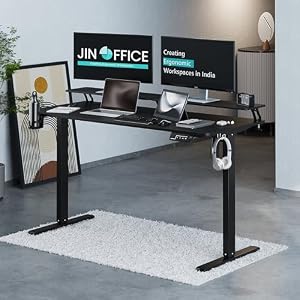


Top Picks at a Glance
| Feature | Green Soul Jupiter Pro 2026 Edition | Green Soul Ghost 2026 Gaming Chair | Green Soul Monster Ultimate Series T | Green Soul Imperium Neo | JIN OFFICE Stability Crossbar |
|---|---|---|---|---|---|
| Warranty | 5 years | 5 years | 5 years | — | 3 years |
| Recline | Intelli-Adapt auto-recline | 155 degree | Intelli-Adapt | — | — |
| Armrests | 4D adjustable | 4D adjustable | 4D extended range | — | — |
| Price | ₹11,990 | ₹16,490 | ₹17,990 | ₹12,990 | ₹20,990 |
| Rating | ★ 4.5 | ★ 4.5 | ★ 4.5 | ★ 4.4 | ★ 4.4 |


